Quick summary
Most "get more blocks" advice is either obvious ("check the app frequently") or dangerous ("use this bot"). Here's what actually moves the needle: timing, market position, app settings, and habits — no automation, no account risk.
1. Master the Timing Windows
Amazon Flex releases blocks in predictable patterns. Understanding these windows is the single biggest factor in getting more blocks — more important than any tool or script.
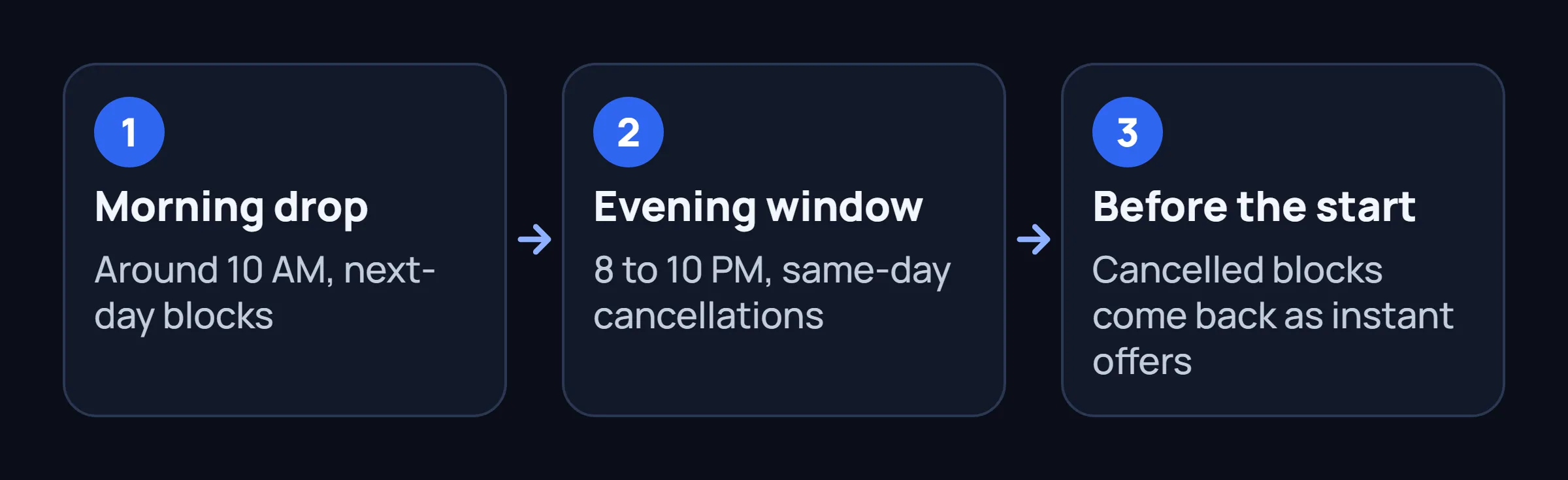
Early morning drop — 10:00 AM local time
Amazon releases blocks for the next day around 10 AM in most markets. Many drivers report this as the single most important window. Blocks released at this time tend to be "fresh" — first-come, first-served, not cancellations.
Evening window — 8:00 PM to 10:00 PM
Same-day cancellations pile up in the evening as drivers drop blocks they can't complete. These often show up as surge-priced offers. The 8-10 PM window is especially good for scoring next-morning blocks at elevated rates.
45 minutes before block start
Drivers can cancel up to 45 minutes before a block starts without penalty. Cancelled blocks re-enter the pool as instant offers around 45-50 minutes before their start time. If you're flexible and can leave quickly, monitor this window.
2. Position Yourself in the Right Market
Your geographic location matters more than most drivers realize. Not all Amazon warehouses generate the same volume of Flex blocks.
Proximity to multiple warehouses
The Amazon Flex algorithm prioritizes drivers close to the pickup location. If you're within 10-15 minutes of 3+ warehouses, you'll see significantly more offers than a driver near just one. This is one of the few confirmed algorithmic advantages.
Same-Day and Sub-Same-Day stations
Stations with "Same-Day" delivery generate more Flex blocks than standard logistics warehouses. If your market has a Sub-Same-Day (SSD) station, prioritize being near it — these stations release blocks throughout the day, not just in scheduled drops.
Whole Foods and Amazon Fresh
These stations offer shorter blocks (1-2 hours) that many drivers skip. Pay per block is lower, but tips can make the effective hourly rate competitive. Good for filling gaps between longer logistics blocks.
3. Optimize Your App Settings
Your in-app settings directly control which blocks you see. Most drivers set these once and forget — but small adjustments can significantly increase your offer volume. Some drivers also report a separate Start Soon label for near-term offers; availability varies by market, so confirm what your app actually shows.
Keep availability wide — at first
Set your availability to the maximum (e.g. 6 AM - 10 PM). The algorithm shows blocks based on your stated availability. A narrow window means you never even see blocks outside it. Once you're getting regular offers, you can narrow.
Max out your service areas in settings
In the Flex app: Menu → Settings → Delivery Areas. Select every zone you're willing to drive to. The more areas checked, the more offers you'll see. Drivers who check only one station see significantly fewer blocks. You're not committing to anything — you still choose which offers to accept.
Keep your rating clean
Drivers with "Fantastic" standing see more offers than those at "Fair" or "At Risk." This is well-documented among drivers. Don't cancel blocks last-minute, deliver on time, and handle packages carefully. It sounds basic — but it directly affects block availability.
4. Develop the Right Habits
These are the behavioral patterns that separate drivers who get consistent blocks from those who struggle:
Check at irregular times
If you always check at 10:00 AM and 8:00 PM, you'll miss the random drops. Amazon occasionally releases blocks at unusual times — especially in high-demand periods like holidays. The more random your checking pattern, the more random drops you'll catch.
Accept first, evaluate later
You have a short window to forfeit a block after accepting (varies by market, typically 5 minutes for blocks starting in 45+ minutes). Experienced drivers accept first and evaluate pay/location second. If the block doesn't work, forfeit within the window.
Build your "Reserved Offers" pipeline
Amazon's "Reserved Offers" are pre-assigned blocks based on your preferences and history. The more blocks you complete, the more Reserved Offers you get. Consistency matters: a driver who completes 5 blocks/week for 3 weeks will see more Reserved Offers than a driver who does 15 blocks in one week then none for a month.
5. Know When Automation Helps — and When It Doesn't
We've written extensively about bot and auto-tapper options — the honest take is that automation (including Amazon Flex bots) helps with one specific thing: noticing blocks faster than you can manually. It doesn't create blocks that don't exist. It doesn't fix a bad market. It doesn't improve your rating.
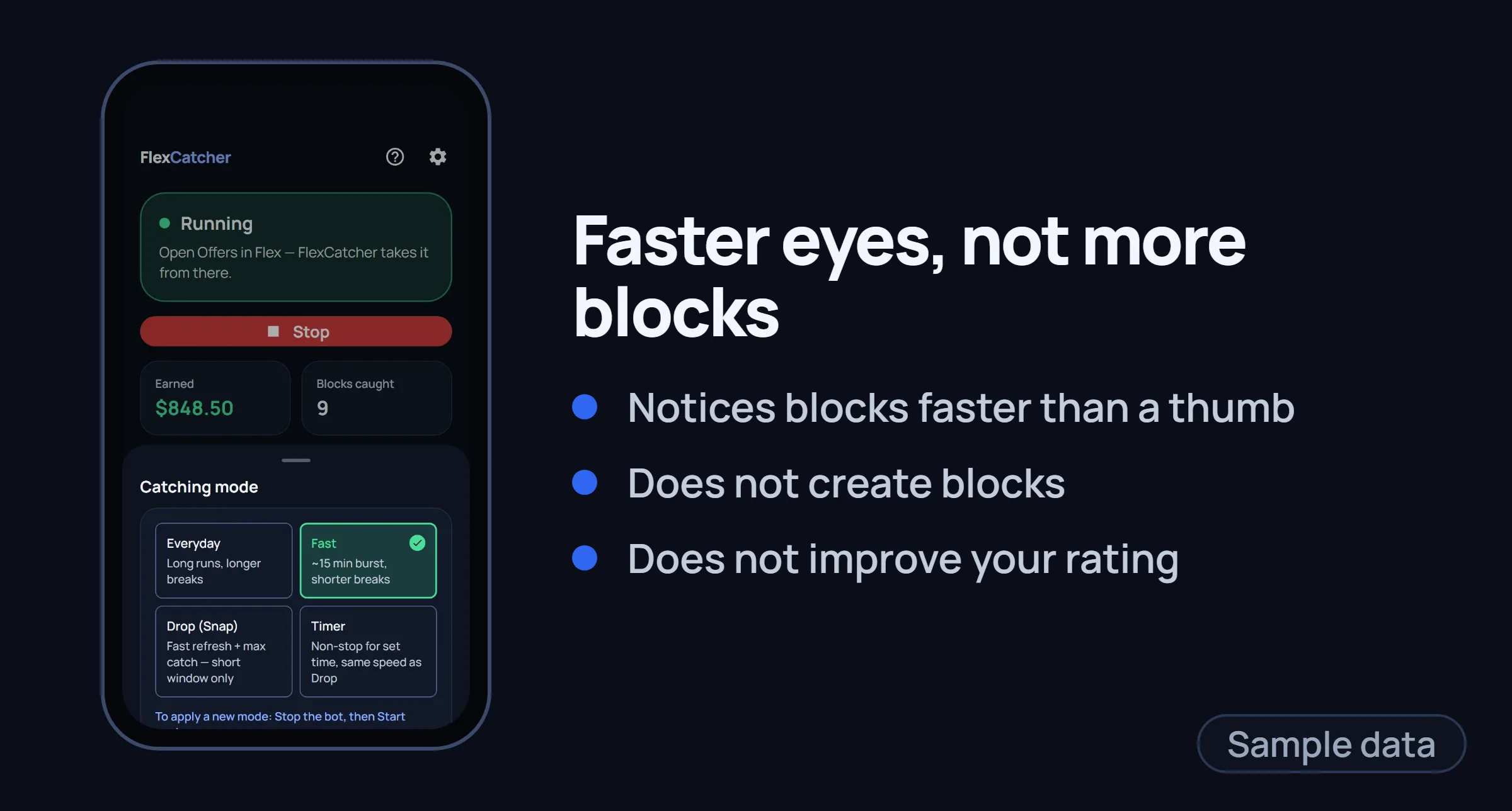
If you're in a good market with consistent demand, a well-chosen tool can help you catch more of what's already there. If you're in a slow market with few blocks, no tool will change that — focus on market position and timing first.
Common Questions About Getting More Blocks
Why do I see "No offers available" all day?
This typically means one of three things: your area has low demand (fewer blocks than drivers), your availability window is too narrow, or your standing has dropped. Check all three. If the app says "No offers available" but other drivers in your area are getting blocks, your standing or availability settings are the likely issue.
Do newer drivers get priority on blocks?
Some drivers believe this, but there's no confirmed evidence. What's more likely: new drivers see fewer blocks initially (less history = fewer Reserved Offers), then volume increases as they complete more blocks. This can look like "new drivers get fewer blocks" — it's actually "consistent drivers get more blocks."
Is it worth driving to a warehouse without a block?
Sometimes. Being near a warehouse when drivers drop blocks (45 min before start times, or evening cancellations) can give you a geographic advantage in the offer algorithm. But it's a gamble — you might wait an hour for nothing. Best for: drivers within 10 minutes of a busy warehouse with flexible schedules.
Should I accept lower-paying blocks to "build my account"?
No evidence that accepting lower-paying blocks increases future high-paying offers. Amazon's algorithm cares about completion rate and reliability, not base pay of accepted blocks. Take blocks that are worth your time — your standing improves the same way regardless of block pay.
FlexCatcher monitors offers and automatically secures them on your device based on your filters.
Learn more →