Quick summary
Simple auto-tappers that click the same spot at fixed intervals are the easiest to flag: a fixed interval produces a repeatable rhythm. Tools with randomized timing, scroll behavior, and screen-reading capabilities are harder to tell apart from a real driver — though that's not a guarantee your account won't be noticed. The difference between a script and a smart assistant is how predictable the pattern looks.
What Is an Amazon Flex Auto-Tapper?
An auto-tapper (or auto-clicker) is a script or app that automatically taps specific areas of your screen at set intervals. For Amazon Flex, it's typically used to repeatedly tap the "Refresh" button or auto-accept offers as soon as they appear.
There are three common types drivers use:
Generic Auto-Clicker Apps High Risk
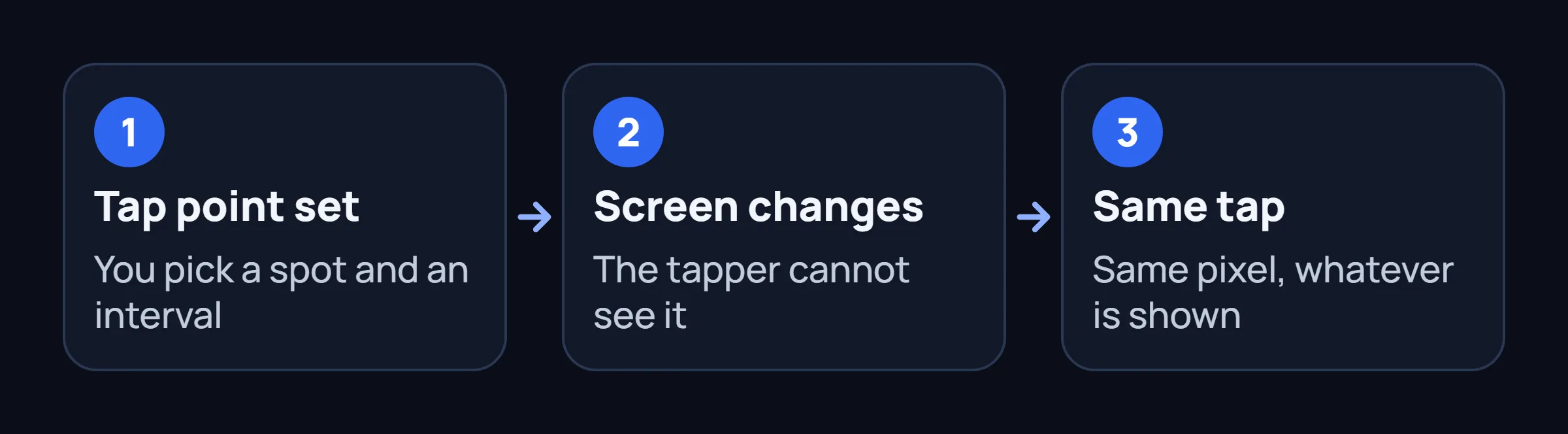
Off-the-shelf apps from APK sites. You set a tap point and interval (e.g. "tap here every 500ms"). No Amazon Flex awareness — just a dumb robot finger.
- Fixed intervals = easy to detect
- Can't read the screen — taps regardless of what's displayed
- Taps the exact same pixel every time
Smart On-Device Assistants Safer
Purpose-built apps that read the Offers screen, understand what's displayed, and act intelligently — not just a repeating tap.
- Reads screen content before acting
- Randomized delays, scroll behavior, micro-pauses
- Harder to flag — though not a guarantee
Why Generic Auto-Clickers Are So Easy to Detect
Amazon Flex's app tracks touch events with precision. A generic auto-clicker leaves an obvious fingerprint:
Exact timing intervals
Humans don't tap every 500ms like a metronome. A script with zero timing variance is the single easiest signal to detect. Even adding ±50ms randomness isn't enough — real human variance is in hundreds of milliseconds, not tens.
No scroll behavior
Real Flex drivers scroll through offers, pause to read details, scroll back up, check other tabs. A tapper that only refreshes without any scrolling is behaviorally unnatural.
Same tap coordinates
Every tap lands on the exact same pixel. Humans naturally vary touch position by 5-20 pixels even when aiming for the same button.
No context switching
Real drivers switch between the Flex app and other apps (messaging, browser, maps). An auto-tapper that stays exclusively in the Flex app for hours raises flags.
What Makes a "Safe" Auto-Tapper
Tools that are harder to flag share these characteristics:
Screen-reading, not pixel-tapping
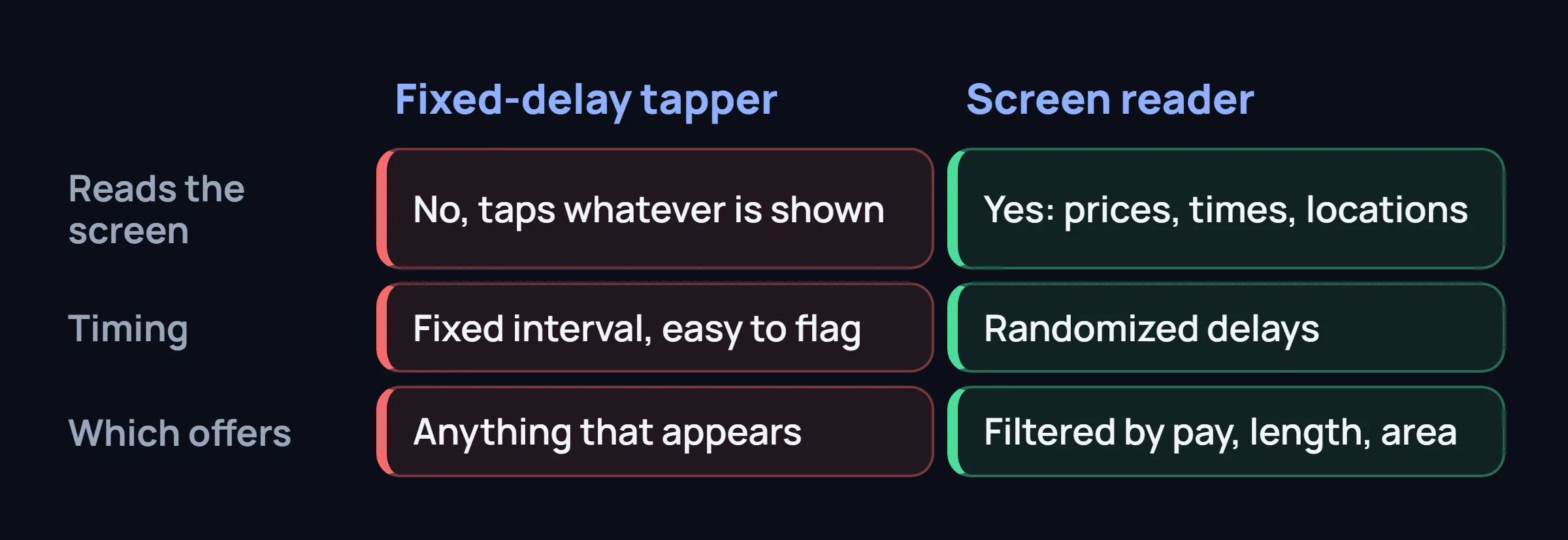
Reads the actual content of the Offers screen (prices, times, locations) and decides whether to act — rather than blindly tapping the same coordinates.
Wide timing range
Actions spaced between 400ms and 2000ms, with no repeating patterns. Real human timing follows a rough bell curve with occasional outliers — good tools replicate this.
Smart filters — not accept-everything
Filters offers by pay, duration, and area before acting. A tool that accepts every block indiscriminately looks just as suspicious as one that taps too fast.
Automatic catching settings
Performs the tap and confirmation swipe locally. No cloud servers are involved, keeping operations completely on-device.
The "On-Device Automation" Approach
One of the safest patterns we've observed: the tool monitors the Offers screen, detects matching blocks, and grabs them directly on the device using local Accessibility gestures.
This approach has significant detection advantages. The entire process (monitoring and tapping) uses Android's Accessibility API, which is a standard OS feature. Because the traffic and device signature remain completely normal (coming from your own phone and your own IP), it looks like regular activity rather than an external login. The tool doesn't ask for your password and doesn't log in from a server. That's not a guarantee your account won't be noticed.
FlexCatcher uses this exact approach: the app watches for matching offers, and when one appears, it acts instantly to secure it. You get a push notification immediately once the block is caught, so you're always kept up to date.
Common Questions About Auto-Tappers
Can I use a free auto-clicker for Amazon Flex?
You can, but we don't recommend it. Free auto-clickers from APK sites have no Amazon Flex awareness — they just tap blindly at fixed intervals. A fixed interval produces a repeatable rhythm, which is easy to flag. If you're going to use any tool, use one that's purpose-built for Flex and understands the app's UI.
How fast should an auto-tapper refresh?
Anything faster than every 1-2 seconds looks suspicious. Real drivers don't refresh every 300ms — they refresh, scan offers, maybe scroll, then refresh again. A tool that mimics this natural rhythm (variable 1-3 second intervals with occasional longer pauses) is far harder to flag.
Does Android's Accessibility API trigger warnings?
No. The Accessibility API is a legitimate Android feature used by screen readers (TalkBack), password managers, automation apps (Tasker), and other accessibility tools. Using it doesn't raise flags on its own. What matters is what you do with it — simple tap automation looks different from apps that legitimately need Accessibility access.
What's better: auto-tapper or cloud bot?
If you must use automation, on-device tools are far safer than cloud bots. Cloud bots share your login and access your account from server IPs — a near-certain detection vector. On-device tools keep everything on your phone. The trade-off is speed: cloud bots can be slightly faster (200-400ms vs 400-700ms), but the account safety gap is massive.
FlexCatcher monitors offers and automatically secures blocks on your device. Free trial, no login sharing.
See how it works →