Quick summary
Every Amazon Flex automation tool sits somewhere on a spectrum between speed and safety. Cloud bots grab blocks the fastest — but they also get accounts flagged the fastest. On-device tools are slightly slower but significantly safer. Understanding this trade-off is the only way to make an informed choice.
All Approaches, Compared Side by Side
We compare five categories by how each one works: where it runs, whether it needs your login, and how predictable its taps are. Here's the full picture:
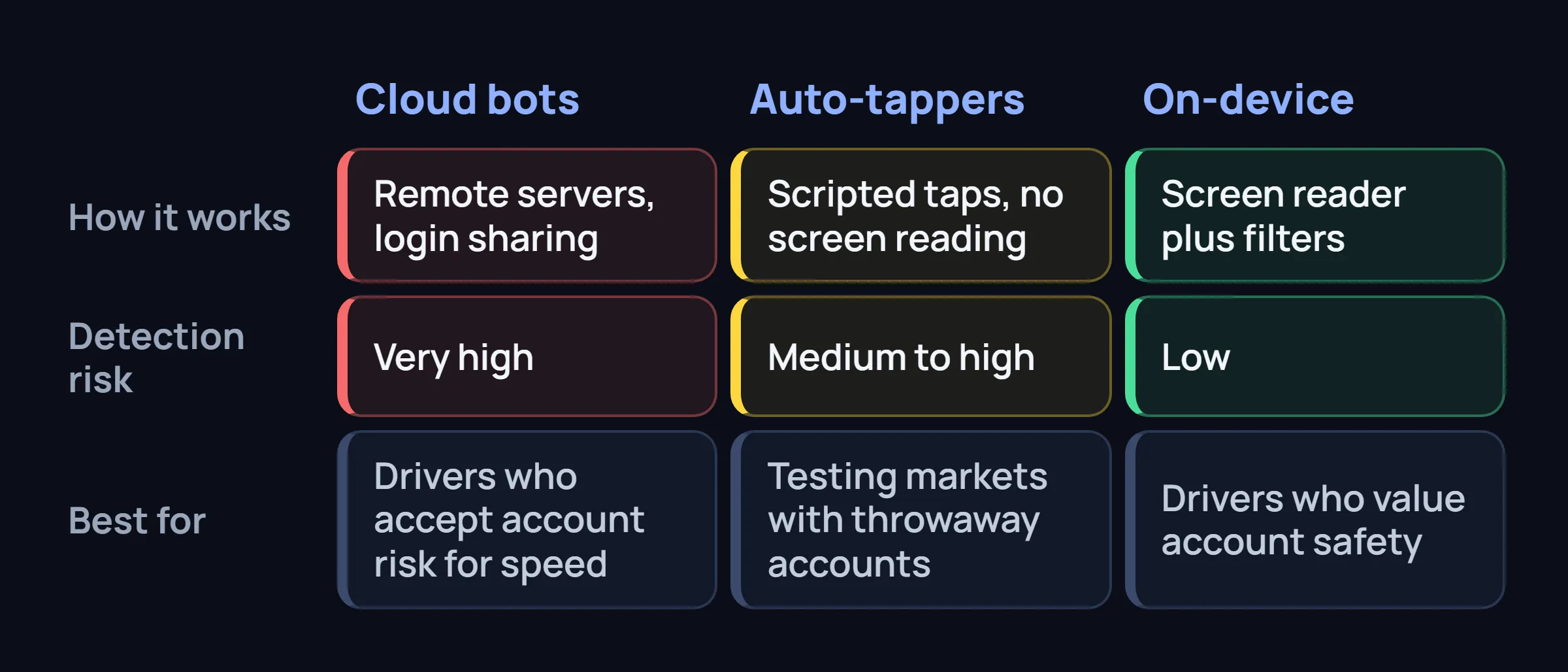
| Approach | Detection Risk | Speed | Setup Difficulty | Cost | Best For |
|---|---|---|---|---|---|
| Cloud Bots Remote servers, login sharing |
Very High | 200-400ms | Moderate | $20-50/wk | Drivers willing to risk accounts for speed |
| Residential Proxy Bots Cloud bots using residential IPs |
High | 300-500ms | Hard | $30-60/wk | Delayed detection — but still gets caught |
| Simple Auto-Tappers Scripted taps, no screen reading |
Medium-High | 500-800ms | Easy | $0-10/wk | Testing markets with throwaway accounts |
| On-Device Assistants Screen reader + filters + auto-accept |
Low | 400-700ms | Easy | $10-15/wk | Drivers who value account safety |
| Manual + Tips No tools, just strategy |
None | 1-3 seconds | — | Free | Maximum safety, minimum cost |
Cloud Bots — Maximum Speed, Maximum Risk
Cloud-based Amazon Flex bots are the fastest option because they bypass your phone entirely. The server refreshes the Offers page, reads new blocks, and auto-accepts them — all in 200-400 milliseconds.
Why they get detected: Your login lives on someone else's server. Amazon sees your account accessed from a data center IP. Even with "private proxies" or "residential IPs," the automated behavior pattern is detectable over time. More on cloud bot detection →
Critical: What Cloud Bot Sellers Don't Tell You
Most cloud bot sellers use affiliate marketers who run separate accounts. When those accounts get banned, the marketer just creates new ones. The sellers don't care about your account — they care about subscriptions. If you get deactivated, they lose nothing. Keep this in mind when evaluating any tool that asks for your login credentials.
On-Device Assistants — The Safety-First Option
On-device tools run as an Android app on your phone. They use Android's Accessibility API to read the Offers screen — the same API that screen readers and password managers use. No login sharing, no remote server, no IP changes.
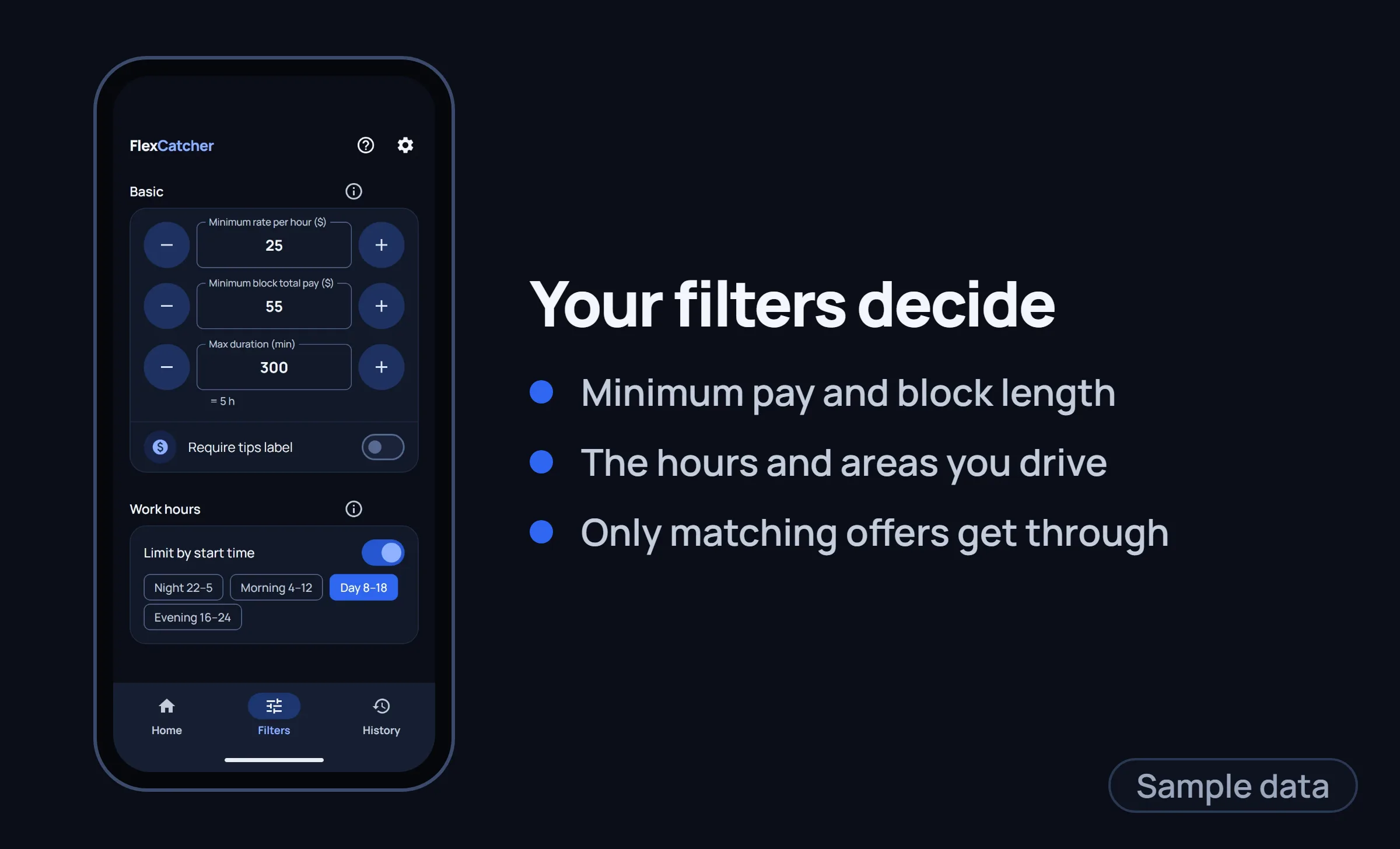
FlexCatcher is in this category. It watches the screen, matches your filters (pay, hours, areas), and secures the block locally on your device. From Amazon's perspective, this matches normal phone interactions. It doesn't ask for your password and doesn't log in from a server. That's not a guarantee your account won't be noticed.
On-device, no login sharing
Everything runs locally. Your Amazon credentials stay on your phone — no server ever touches them.
Smart filters
Set minimum pay, block duration, and preferred areas. Only matching offers get through — no blind accepting.
Instant notification
FlexCatcher secures the block automatically and sends a notification instantly so you're always kept up to date.
Human-like timing
Randomized delays, natural scroll patterns, micro-pauses — mimics real user behavior.
How to Choose the Right Approach
Your choice depends on your priorities. Here's a simple framework:
If speed is everything, and you're willing to risk your account
Cloud bots are fastest. Just know the login comes from someone else's server — a foreign IP and a password you handed over — which makes this the riskiest option. Have a backup plan — because you'll likely need one.
If you want decent speed with lower account risk
On-device assistants offer 400-700ms response times without asking for your password or logging in from a server. You lose maybe 200ms vs cloud bots, and the risk is lower — though that's not a guarantee your account won't be noticed.
If you want zero risk and don't mind slower results
Manual strategies work. Check our tips for getting more blocks legitimately → No tools, no detection risk, just smart habits.
Common Questions About Amazon Flex Bots and Block Grabbers
What types of Amazon Flex bots and block grabbers are there?
Five main approaches: cloud bots, cloud bots behind residential proxies, simple auto-tappers, on-device assistants, and manual strategies with no tool at all. They differ in where they run, whether they need your Amazon Flex login, and how fast they react.
Why are cloud bots the fastest Amazon Flex block grabbers — and the riskiest?
A cloud bot runs on a remote server and accepts blocks without going through your phone, which makes it fast. The price is that the login comes from someone else's server — a foreign IP and a password you handed over. That is what makes cloud bots the riskiest option.
Are on-device Amazon Flex bots safer than cloud bots?
The risk is lower. An on-device assistant runs as an Android app on your own phone, reads the Offers screen through Android's Accessibility API, and doesn't ask for your password or log in from a server. That's not a guarantee your account won't be noticed.
Does a residential proxy make a cloud bot safe?
No. A residential IP hides the data center address, but the automated behavior pattern is still detectable over time, and your login still lives on someone else's server.
Which Amazon Flex bot approach should I choose?
It depends on what matters more to you. Cloud bots are the fastest and the riskiest. On-device assistants are slightly slower with lower account risk. Manual strategies carry no tool-related risk and are the slowest.
FlexCatcher — on-device filtering and automatic catching. 7-day free trial, no login sharing.
See how it compares →