Quick summary
- Amazon Flex Start Soon is a label some U.S. drivers report seeing for near-term blocks. Amazon’s public materials do not define it as a separate nationwide offer type.
- Amazon publicly describes two main scheduling paths: scheduled blocks and Instant Offers. Start Soon should not be treated as a guaranteed third category.
- Check the official Offers or Upcoming Offers screen, use filters when available, and read each offer’s start time, station, duration, and earnings before accepting.
- If Start Soon is missing, that may be normal. Offer availability fluctuates and is not guaranteed.
If you see Amazon Flex Start Soon in the app, it is reasonable to wonder whether you are looking at a new offer type, an Instant Offer, or simply a different way to view nearby blocks. The careful answer is that Amazon’s public U.S. materials currently describe scheduled delivery blocks and Instant Offers. They do not publish a separate platform-wide definition for “Start Soon.” Drivers have reported seeing the label in some markets and app layouts, so it is best treated as on-screen context—not a promise that every driver will see it or that it works the same way everywhere.
What Is Amazon Flex Start Soon?
Amazon Flex Start Soon appears to be a label some drivers see for offers with an imminent start time. It may help separate blocks that require a quick decision from offers available further in the future.
Amazon has not publicly documented a universal cutoff, eligibility rule, or request process for this label. That means drivers should not assume that Start Soon has the same timing, availability, or confirmation process in every city.
If Start Soon appears in your app, use it as a practical sorting cue:
- The block may begin soon enough that travel and check-in timing matter immediately.
- The app may show a different button or confirmation flow than an offer scheduled further ahead.
- The actual offer details—not the section name—should determine whether it fits your day.
At the time of publication, Amazon publicly identifies two main scheduling options: blocks that can be scheduled ahead and Instant Offers that begin right away. Start Soon should not be presented as an officially defined third category without an Amazon source confirming that for your market.
How Is Start Soon Different From Scheduled Offers and Instant Offers?
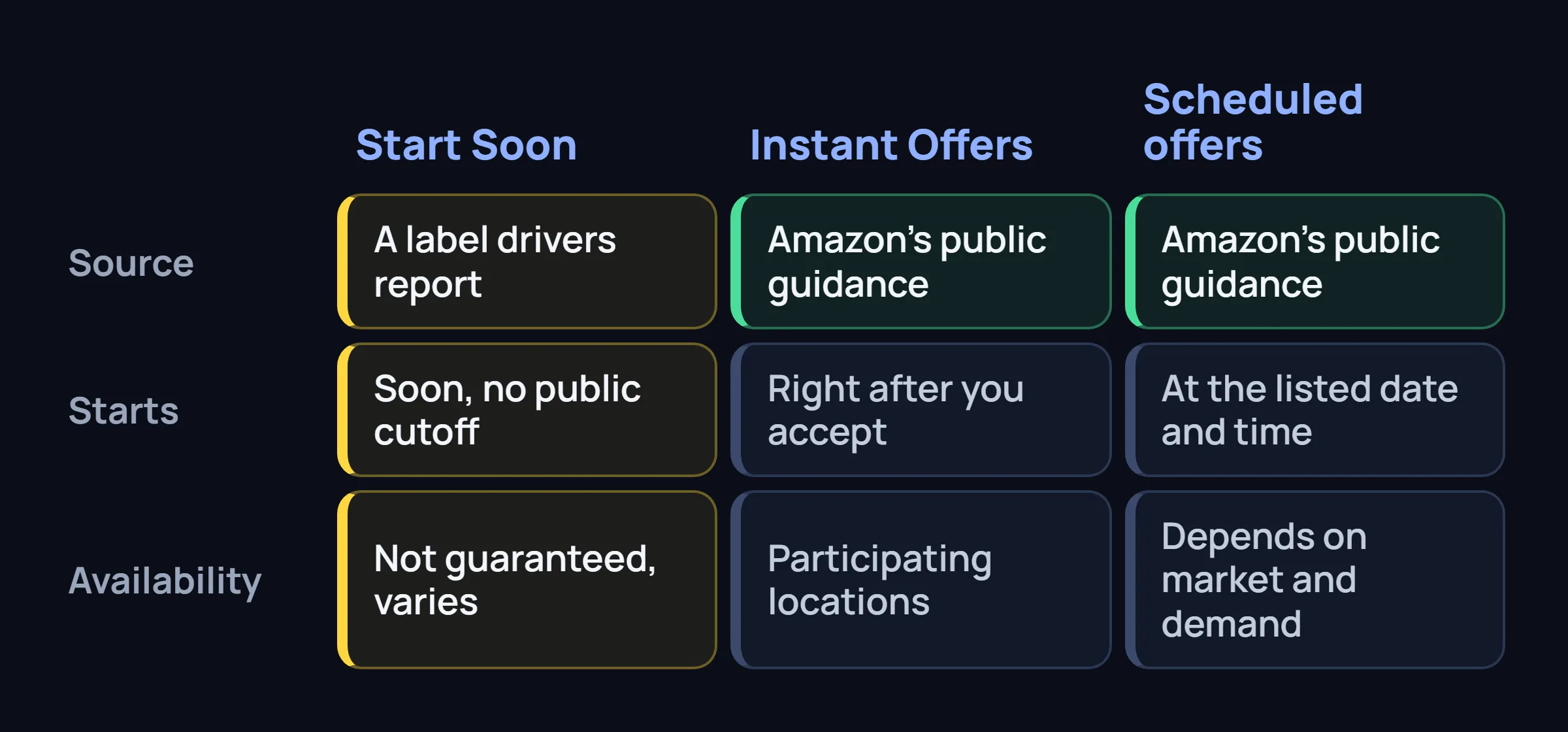
Scheduled offers
Delivery blocks listed with a date, start time, pickup location, expected earnings, and estimated duration. Amazon says drivers can use the Offers page to look for blocks that fit a preferred location and time of day. A scheduled offer can still start relatively soon without being an Instant Offer.
Instant Offers
On-demand opportunities that start right after acceptance in participating locations. Amazon’s public guidance says the app may show route, estimated mileage, pickup location, duration, and earnings before acceptance. These are sent as immediate opportunities, not as blocks you plan hours or days ahead.
Start Soon
A driver-reported app label for near-term offers. It may appear alongside other offer views, but Amazon’s public materials do not establish that it uses the same rules as either scheduled offers or Instant Offers. Read whether the app says Schedule, Request, Accept, or something else.
Where Can Drivers Find Start Soon Offers?
Start with the official Amazon Flex app. Amazon’s FAQ refers to the Offers or Upcoming Offers area, depending on the app version and screen.
- Open the Offers or Upcoming Offers screen.
- Look for Start Soon only if the label is present in your app.
- Set available location and time-of-day filters.
- Review “other offers” so filters do not hide a block that could fit.
- Compare the actual start time with the time it will take to reach and check in at the pickup location.
Do not confuse a Start Soon section with the Online or Available Now status. Amazon uses that status for Instant Offers in eligible locations, not as a general switch for all near-term scheduled blocks.
For broader context on how the Offers screen is changing in some markets, see our guide on the Amazon Flex Request tab and scheduled requests.
Why Might Amazon Flex Start Soon Not Appear?
Your market may not use that label
Amazon does not publicly say that Start Soon is available nationwide. Regional demand, station setup, and app rollouts can differ.
There may be no near-term offers
The section may simply have nothing to display at that moment. A missing label is not proof that no blocks exist elsewhere in the app.
Filters may be hiding relevant offers
Amazon’s FAQ says drivers can set filters for preferred locations and times, then view other available offers outside those filters.
Your app experience may differ
Screen names, navigation, and available sections may differ by app version, account, region, or delivery type.
If the app shows an error, fails to load offers, or behaves differently from normal, update the app and contact Driver Support through the official app for account-specific help.
How to Manually Check Available Blocks
The goal is not to chase every offer. It is to make a quick, informed decision about blocks that fit your real availability.
Before opening the app, decide when you can realistically work—for example, night blocks after evening commitments, morning blocks with enough travel time, or daytime blocks that end before another appointment. This is a personal decision rule, not necessarily an Amazon feature called Start Soon.
Amazon says drivers can filter offers by preferred location and time of day. Use those filters when available, then manually compare each listed start time with your schedule. If the app does not offer an exact morning, daytime, or night filter, you can still use the displayed start times to make the choice yourself.
Filtering can reduce the number of offers you need to review. It cannot create offers, guarantee a block, or guarantee that a suitable time will appear. For more general timing habits, see how to get more Amazon Flex blocks without risky shortcuts.
Can Drivers Choose Blocks for Night, Morning, or Daytime Work?
Drivers can choose whether to accept a listed block that fits their schedule. Amazon’s FAQ specifically says drivers can look for offers by preferred location and time of day.
That does not mean every time window will have offers. A driver may prefer early morning, daytime, or night work, but available blocks depend on the market and current demand. A Start Soon label may make near-term offers easier to notice, but it does not replace reviewing the offer details yourself.
What Should a Driver Check Before Accepting a Start Soon Block?
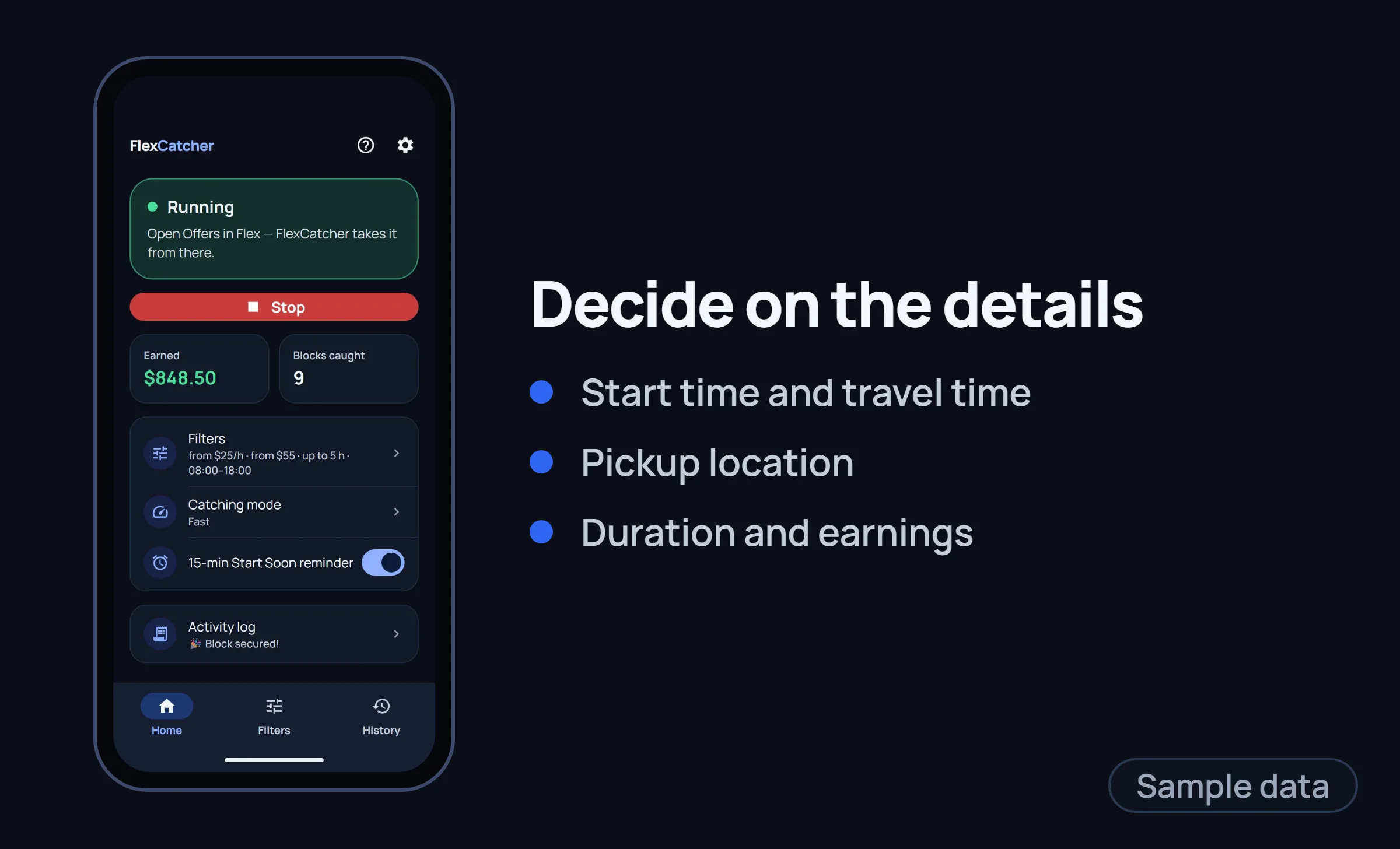
- Start time: Can you arrive within the check-in window shown in the app?
- Pickup location: Is the station realistically reachable from where you are now?
- Estimated duration: Does the expected end time fit the rest of your day?
- Expected earnings: Do you understand whether any portion depends on customer tips?
- Delivery information: Review route, mileage, delivery area, or stops if shown before acceptance.
- Vehicle and costs: Consider fuel, tolls, parking, weather, and vehicle suitability.
- Other commitments: Avoid accepting a block that conflicts with an existing reservation or safe travel time.
Planning enough time to check in also helps protect your account standing. See Amazon Flex issues and how to avoid penalties for common scheduling mistakes.
Common Questions About Amazon Flex Start Soon
Is Amazon Flex Start Soon an official third offer type?
Amazon’s public U.S. materials describe scheduled blocks and Instant Offers. They do not publicly define Start Soon as a separate, nationwide offer type.
Is Start Soon the same as an Instant Offer?
Not necessarily. Instant Offers are immediate on-demand opportunities. Start Soon appears to be a label some drivers see for near-term offers. Check the app’s acceptance flow and offer details.
Why is Amazon Flex Start Soon not showing in my app?
Your region may not use the label, there may be no near-term offers, filters may be hiding offers, or your app and account experience may differ. Availability is not guaranteed.
Where should I look for Start Soon offers?
Open the official Amazon Flex Offers or Upcoming Offers screen. Use available filters, then review other available offers if the app provides that option.
Can I choose blocks that fit night, morning, or daytime work?
You can choose from listed blocks that fit your schedule. Amazon says drivers can search by preferred location and time of day, but available offers depend on the market and demand.
Do filters guarantee that I will find a suitable block?
No. Filters help organize available offers. They do not guarantee that a block matching your preferred time or location will appear.
What should I check before accepting a near-term block?
Confirm the start time, pickup location, travel time, expected duration, displayed earnings, and any route details shown in the app before accepting.
Editorial disclaimer
This site is not affiliated with Amazon. Amazon Flex terms, offer availability, app screens, and feature names may change. Confirm time-sensitive details in the official Amazon Flex app or through Driver Support.