Quick summary
- How Amazon Flex bots work is ordinary phone behavior, sped up: see the offer, decide, tap accept.
- A recorded-tap bot repeats one coordinate. It does not know if the button moved or if the pay is too low.
- A screen-reading bot looks at the offer on the phone and taps only when your filters match.
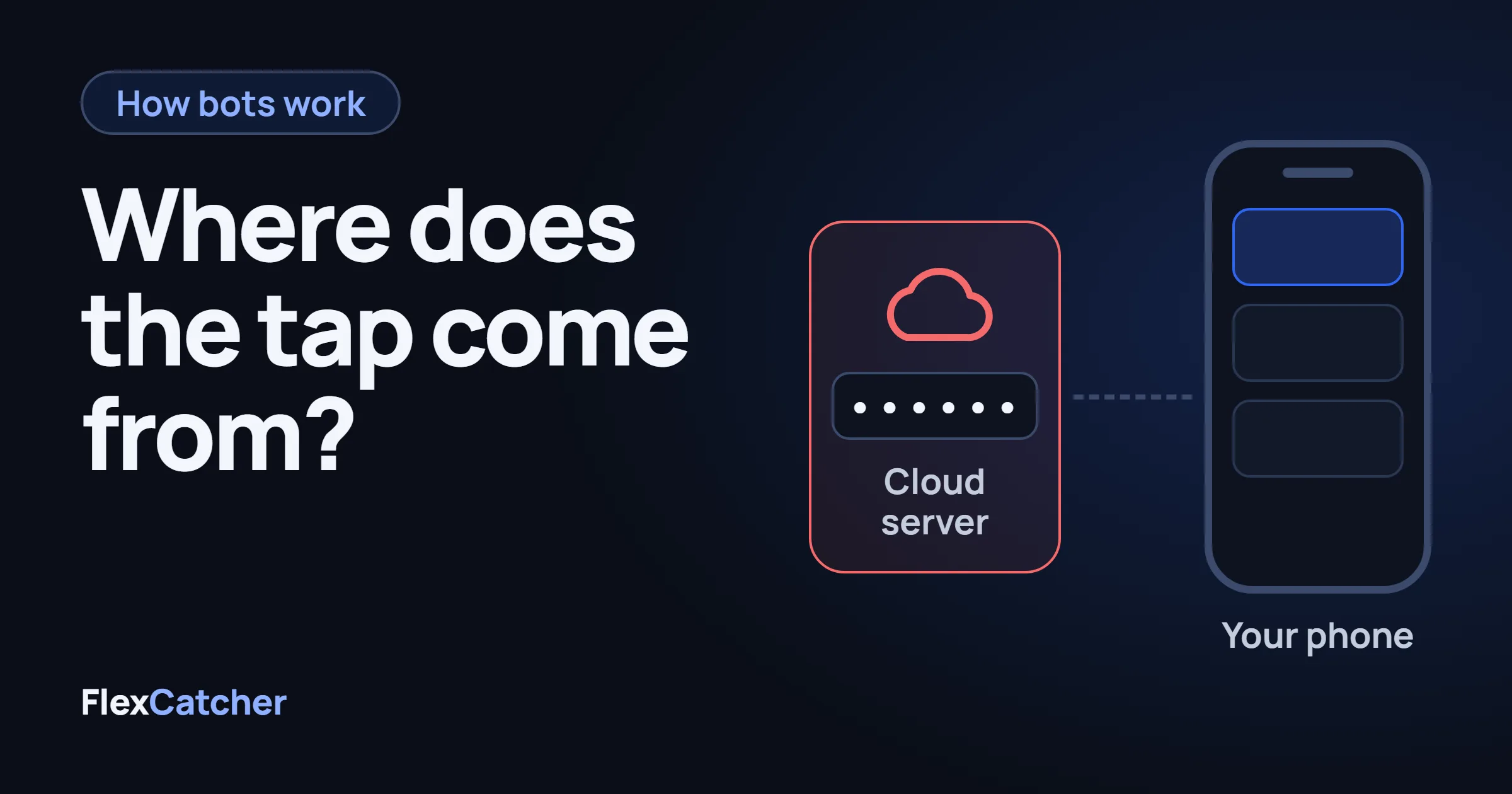
- A cloud Amazon Flex grabber logs into the account from a server. That is a different risk from a tap on your own phone.
- The Flex agreement restricts automated tools. Accounts do get deactivated. The pattern matters more than the brand name on the app.
What is an Amazon Flex bot?
An Amazon Flex bot, block grabber, or auto accept tool does one job: when a block appears on the Offers screen, it tries to take it before a manual tap does. Drivers also call the same thing a Flex grabber or a block catcher. The names are marketing. The mechanic is the accept tap.
Nothing in that sentence requires hacking the Flex app, reading Amazon's network, or a rooted phone. Android already lets one app observe another app's screen and dispatch a tap. That feature is Accessibility. Screen readers use it so a blind person can hear a button and activate it. An Amazon Flex bot uses the same door: it watches Offers, then sends the tap you would have sent yourself.
How does an Amazon Flex bot accept a block?
Three builds show up over and over. They all end in a tap. They do not see the block the same way.
Recorded tap
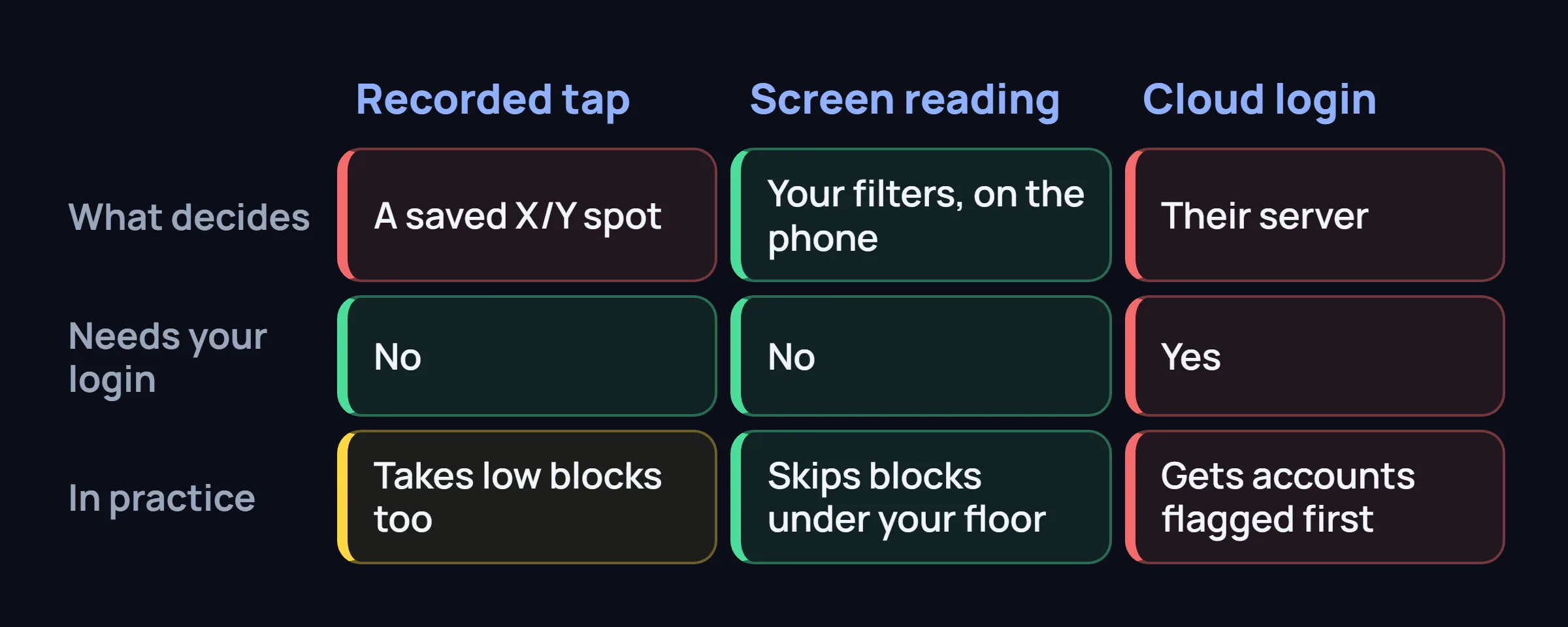
You open Flex, press record, and tap Accept once. The app stores that X/Y coordinate and fires it again whenever it decides a block is there. Setup feels simple. The bot does not read the pay, the station, or the length. If Flex moves the button, the recorded spot hits the wrong thing, or nothing.
Screen reading, on the phone
The bot walks the text already drawn on the Offers screen: pay, duration, station, start time. Your filters run on the phone. Only a match gets the accept tap. No Amazon password is involved, and the decision does not wait on a server.
Cloud login Different risk
You give the service the Flex login. Their server signs in, sees offers, and accepts. Speed can be high. Amazon sees a session that is not your phone. That path is the one that gets accounts flagged first.
Why is one Amazon Flex grabber faster than another?
The race is the time from "the offer is on screen" to "the accept tap is sent." A few choices stack up:
See the change, or poll the screen
Accessibility already sends an event when the screen changes. A bot that waits for that event starts sooner than one that wakes up, takes a look, sleeps, and looks again.
Read the text, or photograph the pixels
The offer is already text in the screen's structure. Reading that text is a short walk. Running recognition on a screenshot adds a step you do not need.
Decide on the phone, or ask a server
If the filter runs on someone else's computer, the block waits for a network round trip. On a bad signal that wait is the whole race. An on-device Amazon Flex auto accept never leaves the phone to decide.
Reject the bad block early
Pay is the cheapest check. A grabber that tests the pay floor before distance, station, and time window does less work on blocks it was going to skip anyway.
A published millisecond, with no phone model and no mention of whether the test used the real Flex app, is an advertisement. Ask where it was measured. A number from a fake offer screen is not a number from a warehouse drop.
Recorded tap or reading the offer?
This is the split that decides whether the tool is usable on a normal shift.
A recorded tap is a macro. It is fast when the Accept button stays in the spot you trained, and it is blind. A low block in that same spot gets taken. After a Flex update moves the layout, the macro keeps tapping the old coordinate until you record it again. Most people leave the default and never retune it, so the "fast grabber" quietly takes the wrong blocks or misses them.
A screen-reading Amazon Flex bot checks the offer first. Minimum pay, block length, station, and the hours you actually drive are rules, not a second recording session. When the layout shifts, the bot is looking for the offer text, not for a pixel you tapped in April.
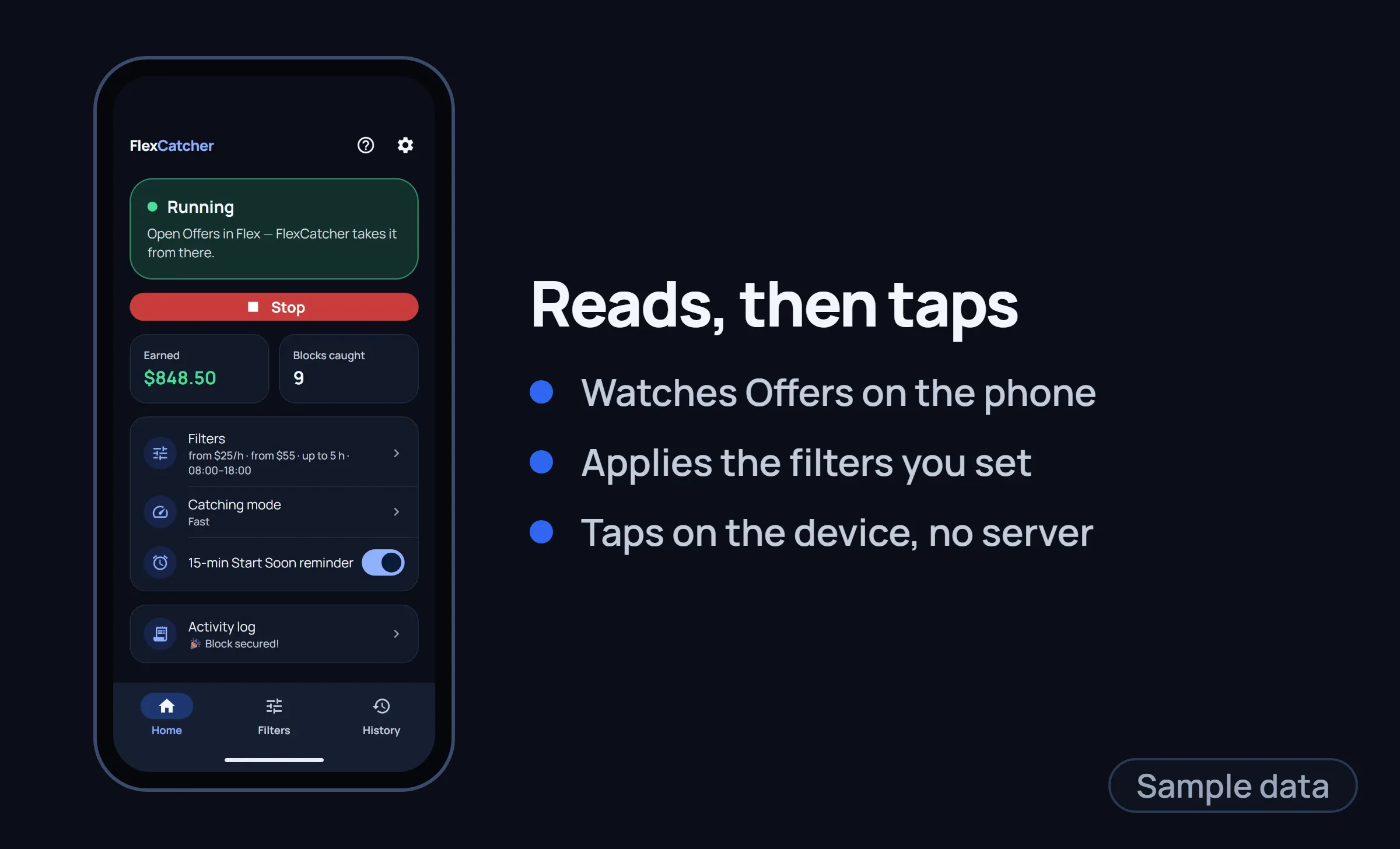
FlexCatcher is the second kind. It watches the Offers screen on your phone, applies the filters you set, and sends the tap on the device. It does not ask for your Amazon password, and it does not send the offer to a server to decide. You still turn Accessibility on yourself, and you can turn it off in Android settings.
Can Amazon Flex detect that a bot accepted the block?
The independent-contractor terms restrict automated means of taking offers. Using any Amazon Flex bot, including one that only taps the screen, can get the account deactivated. Anyone selling "undetectable" or "100% safe" is skipping that sentence.
What Amazon can see in practice is the shape of the work, not a stamp on the tap. A human does not accept in the same handful of milliseconds every time. A human does not take every high block in the building while never scrolling. A human does not sign in from a data center at 3 a.m. while the phone is on the counter. Those are the signals people actually get warned for. A small, uneven delay and a filter that declines a lot of blocks make the day look more like a picky driver and less like a metronome.
That is risk management, not a promise. If you want the longer version of which setups get flagged, read why Amazon Flex bot tools get accounts flagged.
Does an Amazon Flex bot need your login?
No, not the kind that runs on the phone you already use for Flex. You are logged in. The bot looks at the screen you are looking at. Root is not required, and a bot that demands root, an APK from a forum, or your password is asking for something the job does not need.
The cloud Amazon Flex grabber does need the login, because it is not on your phone. That password then lives with whoever runs the server. If you would not email your Flex password to a stranger, do not paste it into a grabber.
Before any of that is on the phone, use the checklist for installing an Amazon Flex bot.
Common questions
How do Amazon Flex bots work?
They watch the Offers screen and send the accept tap when a block matches your rules. Some replay a coordinate you recorded. Some read the offer on the phone. Some log in from a server. The tap is the last step.
Is an Amazon Flex auto clicker the same as a block grabber?
An auto clicker repeats a spot and does not read the offer. A block grabber that reads the screen can skip anything under your pay floor. Both can send a tap. Only one of them knows what it tapped.
Will Amazon ban me for using a Flex bot?
It can. The terms restrict automated tools, and deactivations happen. Conservative filters and uneven timing lower how strange the day looks. They do not make the risk zero.
Do I need root for an Amazon Flex bot?
No. Accessibility is enough for a bot that reads the screen and taps on your phone. Root is a reason to delete the app, not a feature.
FlexCatcher filters blocks on your phone and taps only when they match. Free trial, no Amazon login shared.
See how it works →