Quick summary
- An Amazon Flex bot tries to take a block on the Offers screen faster than your thumb. Flexbot is the same search, typed as one word.
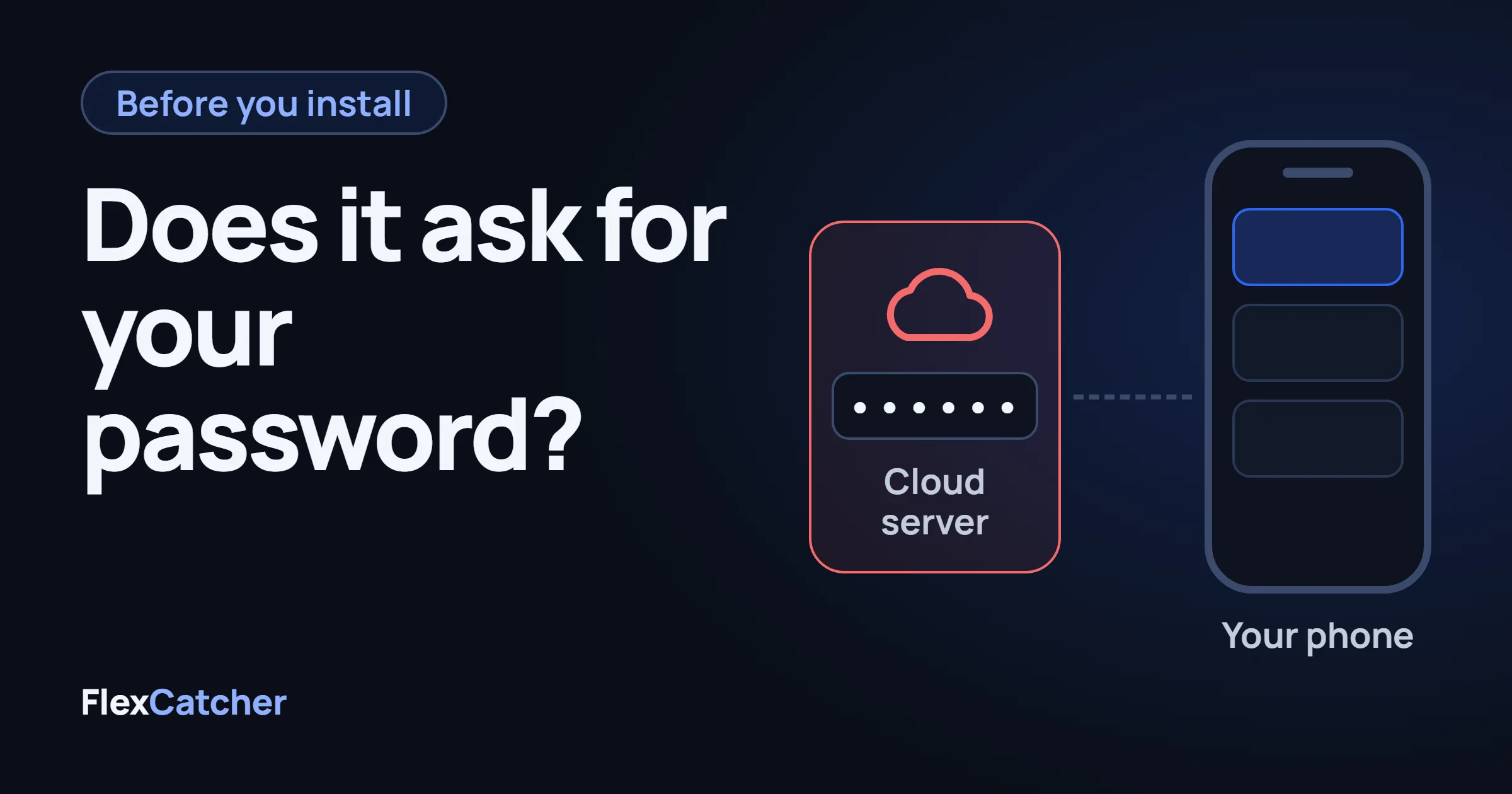
- If the app asks for your Amazon Flex email and password, close it. That login would run somewhere that is not your phone.
- Flex has said they warn accounts they believe are using bots, show a CAPTCHA, block suspicious requests, and remove accounts that keep it up. Any third-party tool carries some risk.
- A tool that stays on your phone can read the offer and tap Accept only when your filters match. That is what FlexCatcher does. Seven days, no card, no password.
What is an Amazon Flex bot?
A good block shows up on Offers and it is gone before your thumb lands. That is usually the afternoon someone searches Amazon Flex bot, or types it smashed together as Flexbot, and installs the first file a group chat drops in. Those are spellings, not a feature. The Flex app does not include a bot. FlexCatcher is an independent app. It is not part of Amazon Flex, and it is not affiliated with it.
Whatever the download page calls it — bot, grabber, auto acceptor — the job is the same. Watch the Offers screen. Decide. Tap Accept. Some builds replay a coordinate you recorded and never look at the pay. Some read the offer on the phone. Some take your login and accept from a server. The names all sound alike. The setup does not. How each one actually accepts a block is in how Amazon Flex bots work.
Does an Amazon Flex bot ask for your password?
This is the check. Open the app, or even just the signup page, and see what it wants before it does anything else.
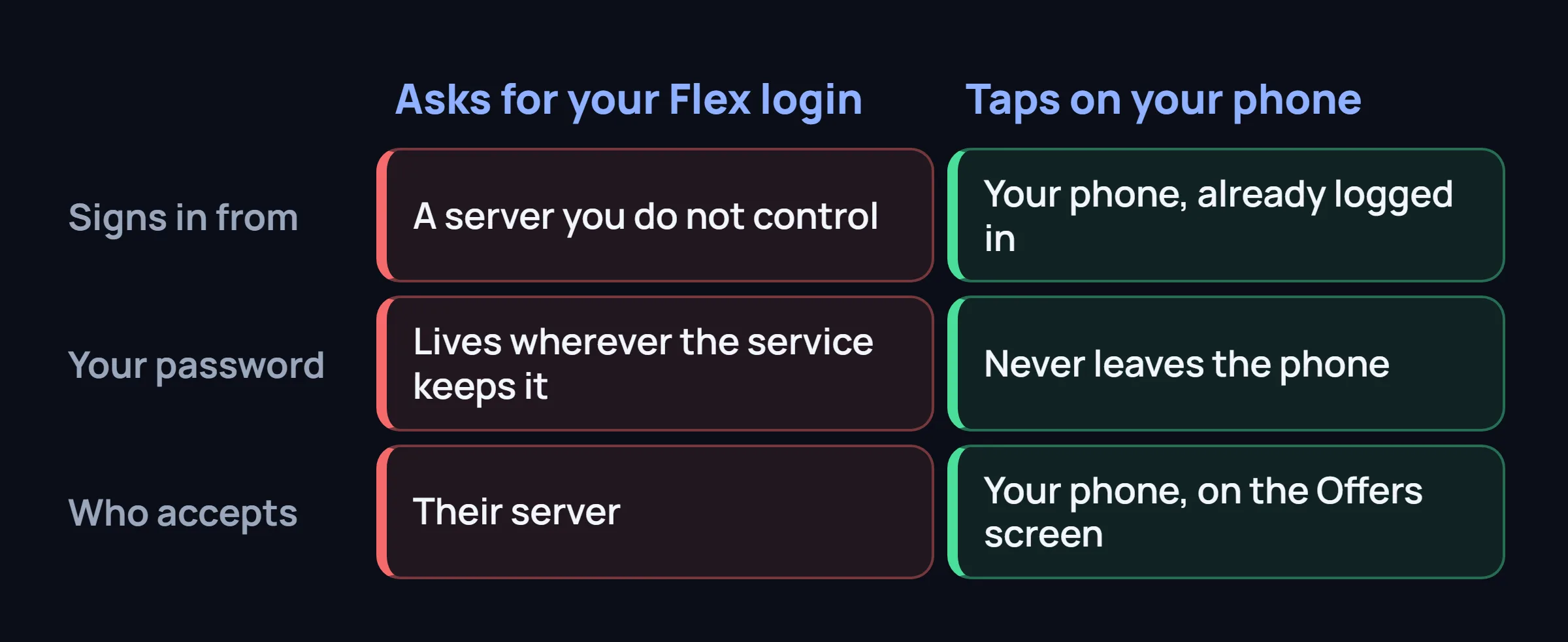
It asks for the Amazon Flex login
You type the email and password you use for Flex. Their server signs in, sees offers, and accepts. You are not installing a tapper. You are handing the account to a computer you do not control. The password then lives wherever that service keeps it.
It taps the screen on your phone
You are already logged in. The tool looks at the Offers screen that is open in front of you and sends the tap you would have sent. No Amazon Flex password leaves the phone. The decision does not wait on someone else's server.
If you would not text your Amazon Flex login to a stranger in the lot, do not type it into a bot. Flex has said the same thing to drivers, in a public post about companies that sell bot services: those companies ask for your credentials, and you should not share them. The post is on the Flex site: how they describe removing bots.
Is Flexbot a different Amazon Flex bot?
No. Flexbot is what people type when they do not put a space in Amazon Flex bot. Same for "flex bot amazon" and "amazon flexbot". Search results mix them on purpose, because the person searching wants a tool, not a dictionary entry.
Treat a new name the same way you treat a familiar one. Read the first screen. If the pitch is a dollar amount per week, "you will not miss blocks", or a promise that the account cannot be flagged, that sentence is the ad. It is not a description of what the app does. We do not have a ban rate to hand you, and neither does a landing page that invented one.
What has Flex published about bots?
In that same post to drivers, Flex describes four things they do. This is their account, not a number we measured:
They look for accounts using bots
They say they use machine learning to find those accounts, notify the driver, and ask them to stop. If it continues, they remove the account. They say they have removed thousands.
They show a puzzle on the offer screen
A short CAPTCHA appears when behavior looks like a bot. Solve it, and you can continue. Drivers also hit that check from refreshing by hand, which is its own problem: CAPTCHA jail.
They check that a phone is talking to them
They say they confirm a phone is what is reaching their systems, and they block requests they suspect come from a bot.
They go after the companies selling the service
They say they have taken legal action against bot companies, and that those companies request the Amazon Flex login.
In the month they wrote about, they said they stopped nearly 10 million attempts from bots to schedule blocks. That figure is theirs. Do not read it as "this is what happens to every driver this month."
The agreement restricts automated tools. Accounts do get deactivated. A tool that only taps your own screen can still be a problem. What tends to stand out is the shape of the day: the same reaction every time, taking every high block, or a login that is not your phone. Which setups get noticed first is covered in why Amazon Flex bots get accounts flagged.
Which Amazon Flex bot install should you close?
Close it when any of these is true:
- The first screen wants your Amazon Flex email and password.
- It only works while a server you do not control is online.
- It taps one spot and cannot tell a short, low block from one you would actually drive. That is an auto-tapper. What to watch for there.
- The page promises a weekly payout, a guarantee, or that every block will be yours.
- It wants root, or it arrived as a nameless file with no developer on it.
Speed is the bait. The cloud setup is often the one sold as the fastest, because a server can sit on the list without your thumb. It is also the setup in the Flex post: a login that is not a phone, and a password you handed over. A calmer comparison of what you trade for that speed is in block grabber options.
We keep a short side-by-side of the three kinds of bots, with the same checks, on GitHub: Amazon Flex bot guide on GitHub.
What does an on-phone Amazon Flex bot actually do?
If you still want a tool after that list, this is the shape that passes the checks.
It stays on your Android phone. It uses one Accessibility permission, the same system feature a screen reader uses, so it can see the Offers screen and send a tap. You turn that on yourself. You can turn it off in Android settings whenever you want. Root is not required. Android 8.0 or newer, with at least 3 GB of memory, covers most phones drivers already have.
It reads the offer before it taps. You set a minimum hourly rate, a minimum total pay, a maximum length, and the hours you actually work. A block under that line is skipped. You are not recording a coordinate in April and hoping the button never moves.
FlexCatcher is that app. A Flex driver built it for Flex drivers. You set the filters, tap Start, leave Offers open, and stop when you want. A block that matches your filters gets the accept tap on the phone, and you get a notification. If Flex shows a verification check, FlexCatcher stops and waits for you. It does not log in from a server, does not ask for your password, and does not take remote access to the account.
Pace is a setting, not a promise: Everyday, Fast, Drop, or Timer. History keeps the station, the pay, and the hourly rate of blocks it caught.
This is still a third-party tool. Any third-party tool carries some risk. Use it in line with the platform's terms. We will not tell you the account cannot be flagged. We can tell you what this one does not do: it does not take the Amazon Flex login.
You can try it for 7 days. One trial per device. There is no paid plan to buy right now, so there is no card to enter. The download is on flexcatcher.app.
Common questions
Is there a working Amazon Flex bot in 2026?
People still use tools that tap Accept on Offers. Working and safe are different questions. Flex restricts automated tools, and accounts do get deactivated. Close anything that asks for your Amazon Flex login. A tool on your own phone is a different setup, and it still carries risk.
Is Flexbot the same as an Amazon Flex bot?
As a search, yes. Flexbot, flex bot, and Amazon Flex bot are spellings for the same thing. None of them is a button inside the Flex app.
Will an Amazon Flex bot get my account deactivated?
It can. Flex has written that they warn accounts they believe are using bots and remove accounts that keep doing it. No app can honestly promise your account will not be flagged.
Does an Amazon Flex bot for Android need root?
No. Reading the Offers screen and tapping uses Accessibility. You turn it on, and you can turn it off. If an app demands root, delete it.
Where do I download an Amazon Flex bot that stays on my phone?
FlexCatcher watches Offers on your phone and taps Accept only when the block matches your filters. It does not ask for your Amazon Flex password. Seven days, one trial per device, no card. Get it at flexcatcher.app.
FlexCatcher filters blocks on your phone and taps only when they match. 7 days free. No card. No Amazon Flex login.
Try FlexCatcher free for 7 days →